Know how much Claude you have left.
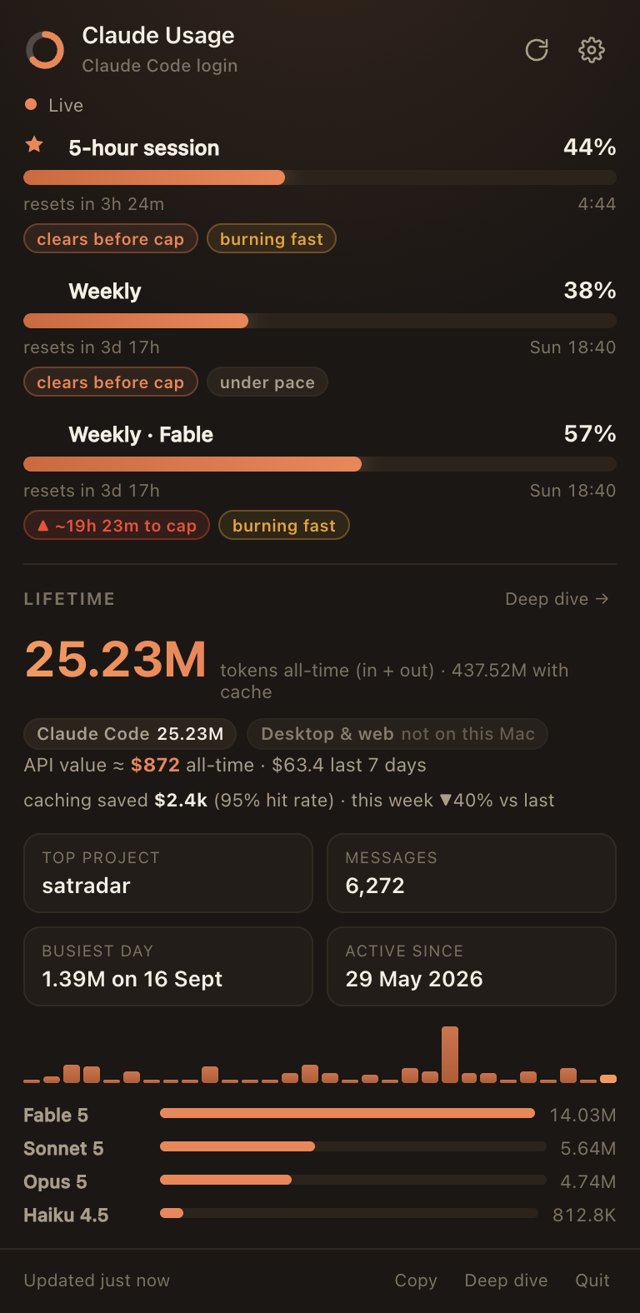
A small menu-bar app that shows your live Claude limits, including the five-hour session and your weekly and per-model caps, with burn-rate projections so you know before you hit the wall.
Free · version 4.3 · macOS 11 or later · the only price is a LinkedIn connection
Everything you'd otherwise refresh a web page for.
Live limits
The five-hour session, weekly, and per-model limits for Opus, Sonnet and Fable, each with its reset time. Star one to show it in the menu bar.
Burn-rate projections
See whether you'll hit a cap before it resets, and roughly when, so you don't run out halfway through a task.
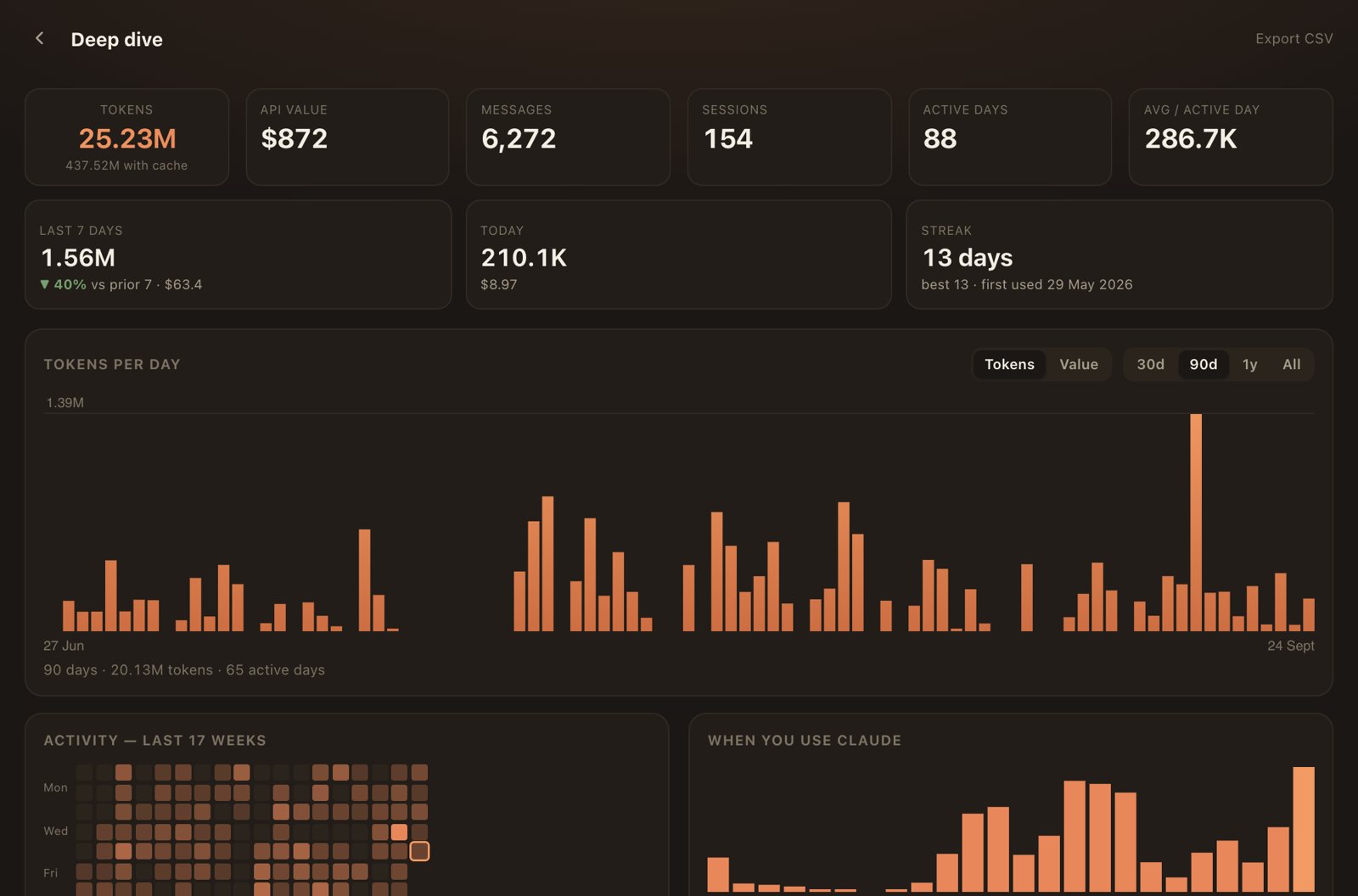
Deep dive
Lifetime tokens, estimated API value, daily usage, streaks, an activity heatmap and when in the day you use Claude most.
Private by design
Uses the Claude login you already have and talks only to Anthropic's own servers. Your history stays on your machine.
Install in a minute.
macOS
- Open Claude-Usage-mac.dmg and drag Claude Usage into Applications.
- The first time, right-click the app and choose Open. It isn't notarised by Apple yet, so macOS asks once.
- Allow the Keychain prompt. That's how it reads your existing Claude login.
- The first launch downloads the runtime it needs (about 100 MB, once). Then the gauge appears in your menu bar and starts at login from then on.
Made by Euan Brown
London · Business and Health, UCLI built Claude Usage because I kept running out of Claude halfway through a task, and refreshing a settings page to check wasn't working.
I'm starting a Business and Health MSci at UCL. Before that I ran RewindMods, a watch-modification business, for two years, and lately I've been building things like SATRADAR, a live map of every satellite in orbit.